


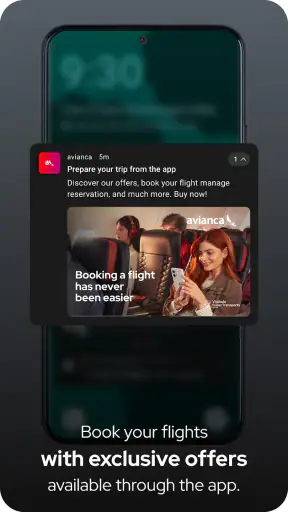
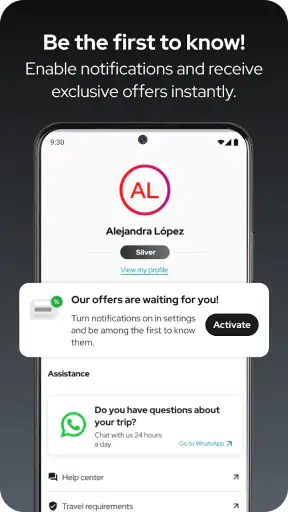
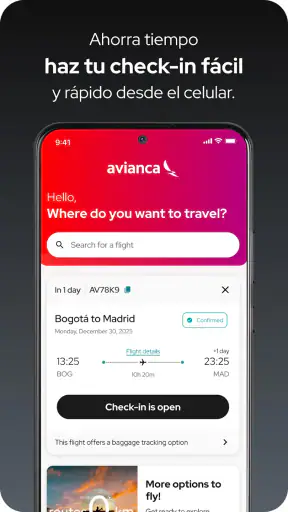
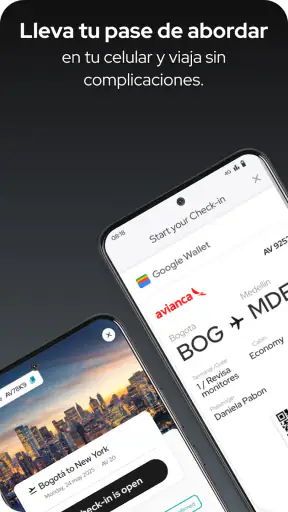
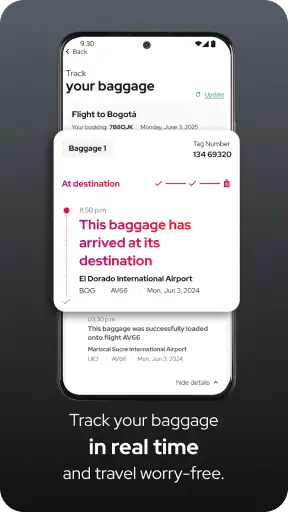
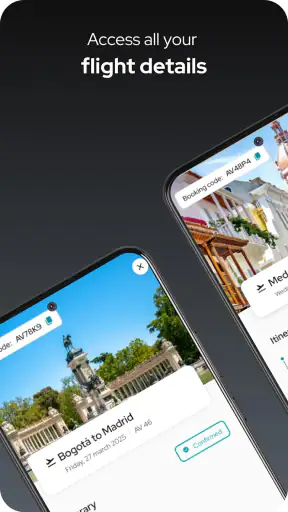
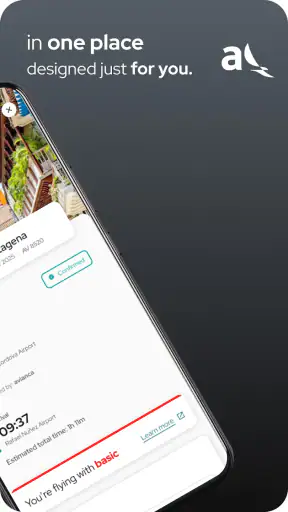
When I travel with Avianca, I want the airline app to reduce small decisions rather than create new ones. That is the main test I applied to avianca, the free Travel & Local app developed by Avianca. Its core purpose is practical: I can use it to purchase a ticket, check in, and follow the status of a flight. Those tasks sound simple, but they usually happen while I am carrying luggage, rushing through an airport, dealing with weak attention, or trying to help another traveler from a phone screen.
My overall impression is positive, especially for passengers who already plan to fly with Avianca. The app has a focused job and a large user base, with over five million installs and a 4.7 average from around 110 thousand ratings. I would not treat that popularity as proof that every screen works equally well for every person, but it does suggest that the app has become a familiar part of many Avianca journeys.
What interests me most is not simply whether the app can display a boarding pass. It is how comfortably someone with different reading, movement, hearing, vision, attention, or travel circumstances can complete the important steps. In that respect, the experience is useful but not completely self-explanatory. It rewards preparation, and it is less forgiving when a traveler is tired, hurried, or relying on another person to navigate.
How clearly the app guides a traveler through the essentials
The strongest part of the experience is its narrow focus. Instead of trying to become a general travel planner, the app centers on Avianca-related actions. For a passenger who has already chosen the airline, that makes the first decision easier: I do not have to wonder whether I am in the right place to manage an Avianca booking or check a flight. The product’s purpose is immediately relevant to the trip.
Ticket purchase is the first major workflow. On a calm day, I find it more convenient than opening a browser because the phone is already the device I carry during the journey. The trade-off is that booking on a small screen makes comparison work more demanding. Travelers who need to compare several airlines, study long fare conditions, or keep multiple tabs open may still prefer a browser or a travel comparison service. The app is most useful when the decision is already mainly about flying with Avianca.
For readability, I recommend using it before leaving home rather than attempting the first booking or check-in while standing in a crowded terminal. A larger screen, better lighting, and a few quiet minutes make it easier to inspect names, dates, airports, and flight details. That is not a criticism unique to this app, but it matters here because a small mistake in passenger information or travel timing can be much more stressful to correct at the airport.
The check-in workflow is where the app becomes more valuable than a simple airline information page. Completing that step on the phone can remove one queue or at least make the airport routine more predictable. I would still open the relevant travel information before heading out, because depending on a live screen at the exact moment of check-in adds unnecessary pressure. Taking a screenshot or keeping the required information easy to reach can be a sensible personal backup, although travelers should still follow the airline’s current instructions for airport use.
Flight status is another practical strength. I use status information differently from booking information: I check it close to departure, then again before setting off if the journey involves a long drive or public transport connection. This is a useful habit because an airport trip can be tiring and expensive in time even when the flight itself has not changed. The app can help me decide when to leave, but I would not use one status check as a guarantee that the rest of the journey will remain unchanged.
The current version is 9.5.3, and the app requires Android 10 or later. That requirement is easy to overlook when someone is helping a relative install it at the last minute. Before a trip, I would check the phone’s operating system and update the app while there is still time to use a browser or ask the airline for help if installation becomes a problem. The app is free, but the flight itself and any selected travel options are separate financial decisions; “free” describes the application, not the cost of flying.
Readability is also about reducing memory load
A useful airline app should not force me to remember too much while moving through a trip. I prefer workflows that let me confirm the booking, check the flight, and return to the relevant travel information without repeatedly reconstructing what I was doing. The Avianca app’s focused purpose helps with this, but I still advise saving important booking details somewhere accessible. If a phone battery is low, a network connection is unreliable, or another person needs to take over, memory becomes a hidden barrier.
For people with reading difficulties or limited concentration, I would use a deliberate rhythm: complete one task, pause, and verify the result before starting another. The app is not a substitute for understanding the itinerary. In particular, I would read airport names carefully rather than relying only on visual familiarity, since busy travel days make similar-looking details easy to confuse.
Someone with low vision may find a phone easier than printed paperwork because the device can be held close and adjusted to personal viewing preferences. At the same time, a compact screen can make dense travel information harder to scan. I would avoid assuming that a setting such as larger system text will improve every screen equally. The practical test is whether the traveler can read the booking and flight status without cutting off essential details or needing to guess what a control means.
Motor and sensory needs during the journey
Touchscreen airline workflows can be helpful for people who find queues, counters, or paper forms difficult. Checking in from a familiar place gives the traveler more control over pace and posture. It can also help a companion assist without having to repeat every detail aloud in a public area. For someone with limited hand precision, however, small controls and time pressure can turn a straightforward task into a frustrating one. I would complete the process early, use the phone in a stable position, and avoid doing it while walking.
That last point is more important than it sounds. Airports are full of visual distractions, announcements, luggage, and people moving in different directions. A traveler who is sensitive to noise or easily overwhelmed may benefit from preparing the app’s essential information before entering the terminal. The app can support a quieter planning phase, but it cannot remove the sensory demands of the airport itself.
Hearing differences also change how useful flight status information feels. A phone-based visual check can be valuable when spoken announcements are difficult to follow, but I would not treat the app as the only source of airport instructions. Gates, security directions, and operational requests may still be communicated in the terminal. The safest approach is to combine the app with visible airport displays and, when needed, direct assistance from staff.
For travelers who depend on screen readers, magnification, voice control, or other device-level tools, the important question is not whether the phone supports those tools in general, but whether each app screen behaves predictably with them. I would test the complete journey before travel: opening the app, finding the booking, completing check-in, and locating flight status. If one stage is awkward with the traveler’s preferred setup, discovering that at home is far better than discovering it at the gate.
Situational access: when the app earns its place
The most convincing use case is a traveler who has already purchased a ticket and wants to manage the next steps without carrying printed documents. Imagine leaving home early for a flight, checking the status before ordering a ride, completing check-in from a quiet room, and then using the phone to confirm the journey while approaching the airport. That sequence saves attention at the point when the traveler is most likely to be tired or distracted.
It is also useful for a family member helping someone else. A relative can assist with the booking or check-in while the passenger remains focused on packing, mobility equipment, children, or medication. The drawback is that shared use requires careful handling of personal information. I would avoid leaving booking details visible on a public screen and would make sure the passenger knows what has been completed before the helper steps away.
For business travelers, the app is convenient when the itinerary is simple and the airline choice is already settled. It is less attractive when the trip involves several carriers, complicated connections, or extensive fare comparison. In those situations, a browser, travel management tool, or direct contact with the relevant airlines may provide a clearer overall view. The Avianca app manages the Avianca part of a trip; it is not a universal control center for every travel arrangement.
Travelers with limited data access should prepare before departure. Flight status is most useful when the phone can connect, and a busy airport can produce unpredictable network conditions. I would open the necessary screens in advance, keep the device charged, and carry a backup plan that does not depend entirely on one application. This is not about distrusting the app; it is about recognizing that accessibility includes the conditions around the software.
Older passengers may appreciate having the airline’s key actions in one place, but they may also need a slower introduction. I would sit with them and practice a non-urgent task first, then explain where the booking and status information appear. The best support is not taking over permanently. It is helping the traveler understand the sequence well enough to remain independent when the trip becomes busy.
Where the experience still creates friction
The app’s biggest limitation is that a focused airline tool can feel narrow when the traveler’s needs are broader than the airline’s own steps. It can help with purchasing, check-in, and flight status, but the airport experience also includes transport, accessibility arrangements, terminal navigation, baggage decisions, and unexpected changes. I would not rely on it to answer every question that arises during a complicated journey.
Another barrier is the assumption that the passenger can comfortably operate a smartphone. A person may have the app installed but still struggle with touch accuracy, reading small information, remembering passwords or booking details, switching between screens, or interpreting a status update. In practice, inclusive use depends on both the app and the traveler’s device settings, confidence, battery level, and connection.
There is also a difference between information being present and information being easy to act on. A flight status update is useful only if I can understand what it means for my next decision. Should I leave now, wait, contact someone, or ask at the airport? The app can provide a valuable signal, but travelers with cognitive disabilities or high anxiety may need plain-language support from a companion or airline representative when circumstances change.
I would be cautious about making the app the sole backup for a passenger who cannot easily recover from a technical problem. If the phone fails, the operating system is too old, the traveler loses access to the account, or the screen becomes unreadable in bright light, an alternative is essential. Writing down the booking reference, keeping identification ready, and knowing how to request help are simple precautions that make the digital workflow more inclusive.
The age rating is Everyone, which fits the app’s travel-management purpose. That does not mean every child should independently handle a booking or check-in. A young traveler may use the app with an adult, while responsibility for payment, passenger details, and final confirmation should remain with the person organizing the journey.
Who should use it, and who should choose another route?
I recommend it to passengers who fly with Avianca and want a direct way to handle the airline’s main travel steps from a phone. It is especially suitable for people who value preparation, prefer digital documents, and want to check flight information without opening a general travel website. Its free access removes one obstacle to trying it, and its long availability since December 26, 2012, gives it the feel of an established airline companion rather than a temporary booking experiment.
I would suggest a different primary tool to someone comparing many airlines, managing a multi-carrier itinerary, or needing a large-screen view of several travel details at once. I would also avoid making it the only method for a traveler who cannot reliably operate a smartphone without assistance. In that case, the app can still be useful as a companion tool, but human support and a non-digital backup should remain part of the plan.
My practical recommendation is to install it before the travel day, confirm that the phone meets the Android 10 minimum, and test the functions that matter for the particular trip. Check the booking, complete check-in when available, review flight status, and then think through what will happen if the battery or connection fails. That small rehearsal reveals more about personal accessibility than a generic promise ever could.
After using it as a travel companion, I see avianca as a capable, focused app rather than a complete accessibility solution for air travel. Its clearest benefit is putting essential Avianca actions within reach before and during a journey. Its main weakness is that the traveler still has to manage the surrounding conditions: device compatibility, screen readability, motor control, sensory overload, connectivity, and backup support.
For me, the inclusive verdict is therefore positive with preparation attached. The app can make flying less dependent on queues, paper, and memory, and it can give companions a practical way to help. It works best when the passenger tests the workflow early and treats it as one part of a wider travel plan. If that matches your situation, I think it is worth installing; if your trip is complex or your access needs are high, use it alongside—not instead of—direct airline assistance and a reliable backup.


